Best Typing Websites in 2026: Free Tools to Test and Improve Your Speed
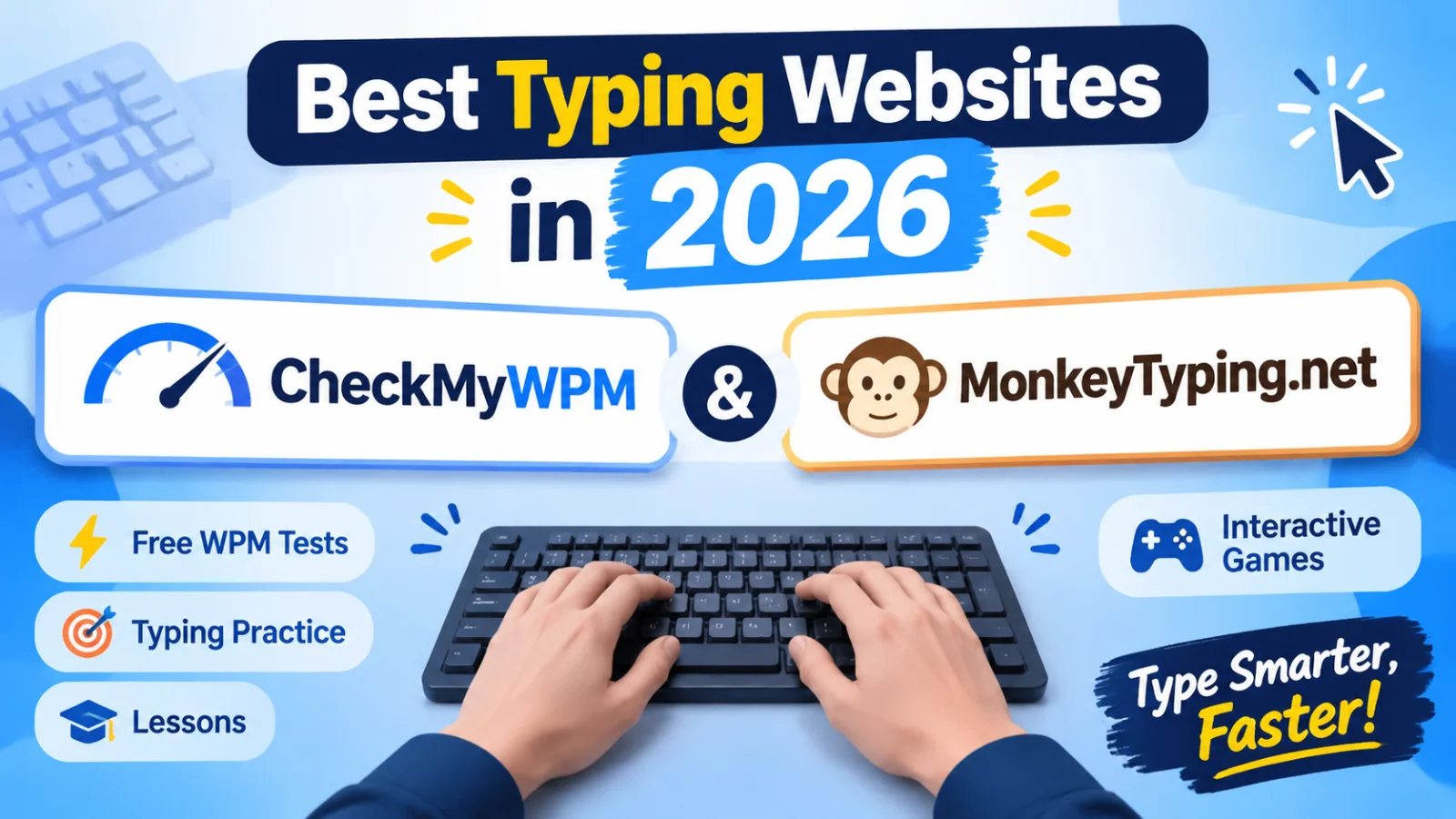
Discover the best typing websites in 2026 for free WPM tests, structured lessons, typing practice, and interactive games.
On this page15 sections
Improving your typing speed is about more than simply typing faster. Accuracy, finger placement, consistency, and familiarity with the keyboard all contribute to becoming a more efficient typist. Whether you are a student, office professional, programmer, freelancer, or someone who spends hours working on a computer, developing stronger typing skills can make everyday tasks easier.
Fortunately, you do not need expensive software to get started. Several free typing websites provide speed tests, practice exercises, structured lessons, and interactive games directly in your browser. However, not every platform serves the same purpose. Some focus mainly on measuring words per minute (WPM), while others offer guided learning, competitive challenges, or specialized typing exercises.
In this guide, we explore nine typing websites worth considering in 2026. CheckMyWPM takes the first position for its specialized tests and practice features, while MonkeyTyping.net takes second place for its broader collection of learning and practice tools. We also cover other useful platforms and explain which option may suit different typing goals.
How We Selected the Best Typing Websites
A good typing website should do more than display a speed score. It should help users understand their current ability and provide useful ways to improve. We considered several factors when organizing this list.
1. Typing Speed and Accuracy Measurement
A useful typing test should provide a clear measurement of typing speed in words per minute (WPM). Accuracy is equally important because a high speed score does not necessarily mean someone can type correctly.
We considered whether platforms offer meaningful feedback that helps users understand their performance.
2. Free Features and Accessibility
We considered whether users can access the main typing tests and practice activities without paying. Browser-based access is also useful because it allows people to practise without installing additional software.
3. Practice and Learning Options
Testing your speed tells you where you stand, but regular practice helps you improve. We looked at whether websites offer structured lessons, targeted exercises, or different types of practice content.
4. Games and Interactive Activities
Typing games can make repetitive practice more enjoyable. They can also encourage users to spend more time developing keyboard familiarity. We considered the variety of interactive activities available on each platform.
5. Ease of Use and Flexibility
A typing website should be straightforward to navigate. We also considered whether users can choose different test formats, practise specific skills, and use the platform for different experience levels.
Quick Comparison: Best Typing Websites in 2026
Here is a quick overview of the nine platforms included in this guide.
| Website | Best For | Free Access | Account Required | Certificate | Typing Games |
|---|---|---|---|---|---|
| CheckMyWPM | Specialized typing tests and interactive practice | Yes | No | Not a primary focus | Yes |
| MonkeyTyping.net | All-in-one typing tests, lessons, and practice | Yes | No for guest play | Not a primary focus | Yes |
| TypeRacer | Competitive typing races | Yes | Optional for basic participation | Not a primary focus | Race-based |
| 10FastFingers | Quick WPM testing | Yes | No for basic tests | Not a primary focus | Limited |
| Keybr | Adaptive typing exercises | Yes | Optional | Not a primary focus | Not a primary focus |
| Typing.com | Structured typing lessons | Yes | Account commonly used for progress tracking | Depends on available programs | Yes |
| Ratatype | Typing lessons and certificates | Yes | Required for some features | Yes | Not a primary focus |
| Nitro Type | Racing-based typing practice | Yes | Account used for gameplay | Not a primary focus | Yes |
| Monkeytype | Customizable typing tests | Yes | Optional for basic use | Not a primary focus | Not a primary focus |
Feature availability can vary by platform, account type, and the specific activity being used.
1. CheckMyWPM – Best for Specialized Typing Tests and Practice
Best for: People who want specialized typing tests, focused practice, and interactive typing games.
CheckMyWPM is a browser-based typing platform that goes beyond a basic speed test. It offers dedicated typing tests for different types of content, making it useful for people who want to practise particular keyboard skills rather than repeatedly typing general English text.
Its specialized categories include English, numbers, developer typing, data entry, students, home-row practice, punctuation, and business-related typing. These options make it easier to choose exercises that match your needs, whether you are learning keyboard fundamentals or practising for work involving frequent number and text entry.
The platform also combines regular typing practice with interactive games. Its game collection includes different challenges such as Word Rush, Falling Words, Number Sprint, Code Breaker, Data Dash, Typing Snake, and Typing Tower Defense.
What Makes CheckMyWPM Stand Out?
Specialized typing tests: Separate categories let users focus on different typing tasks, including numbers, punctuation, programming-related text, and home-row practice.
Dedicated practice area: Users can spend time developing their typing skills beyond simply completing a timed test.
Variety of typing games: Different activities cover word challenges, number-based exercises, racing, and other interactive typing challenges.
Typing Quest: A lesson-based experience featuring 16 short lessons, starting with home-row fundamentals and introducing touch-typing skills.
Performance feedback: Timed tests provide feedback on typing speed and accuracy, helping users evaluate their performance.
Who Should Use CheckMyWPM?
CheckMyWPM is worth considering if you want to measure your typing speed, work on specific keyboard skills, and add interactive games to your regular practice routine.
It is particularly relevant for users who want more than a single general-purpose typing test and prefer having different exercises available in one place.
Our take: CheckMyWPM earns the first position because its specialized typing categories, practice options, and game collection provide a useful combination for people who want to test and develop different aspects of their typing ability.
2. MonkeyTyping.net – Best All-in-One Typing Practice Platform
Best for: Users who want typing tests, structured lessons, listening practice, vocabulary exercises, leaderboards, and games in one platform.
MonkeyTyping is a free browser-based typing platform designed to help users measure their typing speed and develop stronger keyboard skills through different types of practice.
Instead of focusing exclusively on timed tests, the platform brings several typing activities together. Users can start with a quick WPM test, follow structured lessons, practise sentences and vocabulary, or improve their skills through interactive games.
What Makes MonkeyTyping.net Stand Out?
Typing speed tests: Users can choose 15-, 30-, or 60-second tests to measure their typing speed and accuracy. The platform also includes word-count challenges, quotes, and longer scripts for different practice preferences.
Structured typing lessons: The platform provides 50 lessons across five modules. They progress from home-row fundamentals to numbers, symbols, and mixed typing exercises, giving learners a structured way to develop keyboard familiarity.
Listening-based practice: Text-to-speech practice allows users to listen to content and type what they hear. This provides an additional way to develop typing skills rather than relying only on text displayed on the screen.
Sentence and vocabulary practice: Dedicated practice content gives users opportunities to work on common words, sentences, and different text patterns.
Interactive typing games: MonkeyTyping.net includes seven solo games:
These activities add variety to regular typing practice and make it easier to keep practising without repeating the same test format.
Keyboard Warrior challenge: In addition to its regular typing games, the platform features Keyboard Warrior, a separate challenge experience with 1,000 levels, multiple difficulty settings, and multiplayer options.
Live leaderboards: Daily, weekly, and all-time leaderboards allow users to compare their performance and follow their progress.
Multiple languages: The platform supports 50 languages, with availability depending on the selected activity and language.
Can You Use MonkeyTyping.net Without Creating an Account?
Yes. Users can access the platform and play as guests without creating an account. Those who want to save and view supported statistics, records, progress, and game results can create an account using a username and a four-digit PIN.
One important point: the PIN currently cannot be recovered, so users should save their username and PIN somewhere secure when creating an account.
Who Should Use MonkeyTyping.net?
MonkeyTyping.net is a useful option for beginners who want structured lessons, regular learners who want to improve their WPM, and experienced typists who enjoy different challenges.
It is particularly suitable for people who prefer having tests, lessons, listening exercises, vocabulary practice, and games available within one platform.
Our take: MonkeyTyping.net earns the second position because it combines several types of typing activities in one free platform. Its structured lessons and varied practice options make it a useful choice for users who want to continue developing their skills after measuring their initial typing speed.
Disclosure: MonkeyTyping.net is our own project. We have included it alongside other platforms and described its features so readers can decide whether it matches their needs.
3. TypeRacer – Best for Competitive Typing Races
Best for: People who enjoy competing against other typists.
TypeRacer takes a competitive approach to typing practice. Instead of simply completing a test and reviewing your WPM, you compete against other participants by typing passages as quickly and accurately as possible.
The racing format makes practice feel more like a game. As you type, your progress determines how quickly your vehicle moves through the race.
Key Features
- Multiplayer typing races.
- Competitive gameplay against other participants.
- Text-based typing challenges.
- Performance improvement through repeated competition.
- A more engaging alternative to traditional typing tests.
Who Should Use TypeRacer?
TypeRacer is suitable for people who enjoy competition and want an entertaining way to practise typing. It can also encourage users to work on their speed under time pressure.
However, users looking for structured lessons or specialized typing exercises may want to combine it with another practice platform.
4. 10FastFingers – Best for Quick Typing Speed Tests
Best for: Users who want a simple way to measure their typing speed.
10FastFingers is a popular option for checking typing speed through short typing tests. Its straightforward format makes it easy to start testing without spending time exploring complicated features.
The platform presents words that users must type within a limited period. After completing the test, users can review their performance and see how many words they typed correctly.
Key Features
- Quick online typing tests.
- WPM measurement.
- Accuracy feedback.
- Multiplayer typing competitions.
- Different typing challenges.
Who Should Use 10FastFingers?
If your main goal is to check your current typing speed without following a complete learning program, 10FastFingers is a practical option.
It is also useful for taking occasional tests to compare your results over time. For more structured learning, consider pairing it with a platform that offers lessons and targeted exercises.
5. Keybr – Best for Adaptive Typing Practice
Best for: Users who want to improve difficult keys and develop more consistent typing habits.
Keybr takes a different approach to typing practice. Rather than relying only on fixed passages, it uses adaptive exercises to help users become more familiar with individual keys and common letter combinations.
The idea is to gradually develop better keyboard control by practising the keys that need more attention.
Key Features
- Adaptive typing exercises.
- Practice focused on individual keys.
- Progress tracking.
- Visual feedback during exercises.
- A learning approach that develops gradually.
Who Should Use Keybr?
Keybr can be useful for beginners learning touch typing and experienced users who notice that certain keys slow them down.
It is especially worth exploring if you want to build more consistent typing habits instead of concentrating only on increasing your WPM score.
6. Typing.com – Best for Structured Educational Lessons
Best for: Students, beginners, and users who prefer guided typing instruction.
Typing.com is an educational typing platform that provides structured lessons and activities for developing keyboard skills.
Its learning approach makes it suitable for people who prefer following a planned progression rather than choosing individual typing exercises. Lessons introduce keyboard skills step by step, allowing learners to develop familiarity with proper typing techniques.
Key Features
- Structured typing lessons.
- Beginner-friendly learning activities.
- Typing tests and practice.
- Educational tools for students and teachers.
- Progress tracking and interactive activities.
Who Should Use Typing.com?
Typing.com is a useful option for students, classroom environments, and beginners who want a guided learning experience.
Users who already have good typing skills and mainly want specialized tests or competitive challenges may prefer combining it with other platforms.
7. Ratatype – Best for Typing Lessons and Certificates
Best for: Users who want to learn touch typing and explore typing certificate options.
Ratatype combines typing lessons with speed assessments and certificate-related features. It can be useful for people who want to develop their keyboard skills and have a record of their typing performance.
Its learning activities focus on helping users become more familiar with keyboard layouts and improve their typing technique.
Key Features
- Online typing lessons.
- Typing speed assessments.
- Accuracy measurement.
- Typing certificate options.
- Practice activities for developing keyboard skills.
Who Should Use Ratatype?
Ratatype is worth considering if you are learning touch typing or need a typing certificate for a particular purpose.
Before relying on a certificate for employment or education, check the assessment requirements and whether the organization requesting it accepts that certificate.
8. Nitro Type – Best for Racing-Based Typing Practice
Best for: Users who enjoy game-based typing challenges.
Nitro Type makes typing practice more entertaining through a racing format. Players compete by typing the displayed text, with their typing performance influencing how quickly their cars move.
This approach can make regular practice feel less repetitive, especially for younger users and people who enjoy competitive games.
Key Features
- Racing-based typing gameplay.
- Competitive multiplayer activities.
- Typing challenges.
- Rewards and progression.
- Practice through interactive gameplay.
Who Should Use Nitro Type?
Nitro Type is a good option for users who find traditional typing tests repetitive and prefer learning through games.
However, it is primarily a game-oriented experience. People looking for a structured typing curriculum may want to use it alongside a dedicated learning platform.
9. Monkeytype – Best for Customizable Typing Tests
Best for: Users who prefer flexible typing tests and performance statistics.
Monkeytype is a browser-based typing test platform known for its customizable testing experience. It allows users to adjust different test settings and practise with different text formats.
Rather than focusing on a complete learning curriculum, it is primarily suited to people who want control over their typing test experience.
Key Features
- Customizable typing tests.
- Different test durations and modes.
- WPM and accuracy statistics.
- Performance tracking options.
- A minimal testing interface.
Who Should Use Monkeytype?
Monkeytype is worth exploring if you already have some typing experience and want to customize how you measure your performance.
It can serve as an additional testing option, particularly for users who enjoy adjusting test settings. However, people looking for specialized typing categories, structured lessons, or a broader collection of learning activities may prefer exploring CheckMyWPM or MonkeyTyping.net first.
Which Typing Website Should You Choose?
The right platform depends on what you want to accomplish. A beginner learning keyboard fundamentals may need a different experience from an experienced typist preparing for a timed assessment.
Here is a simple guide to help you choose.
| Your Goal | Recommended Website | Why |
|---|---|---|
| Try specialized typing tests | CheckMyWPM | Dedicated categories for different typing tasks |
| Improve overall typing skills with an all-in-one platform | MonkeyTyping.net | Combines typing tests, structured lessons, practice tools, and interactive games |
| Compete in typing races | TypeRacer | Multiplayer typing competition |
| Check your WPM quickly | 10FastFingers | Simple speed testing |
| Improve weak keys | Keybr | Adaptive typing exercises |
| Learn through structured lessons | Typing.com | Guided educational curriculum |
| Get a typing certificate | Ratatype | Certificate option |
| Practise through racing games | Nitro Type | Game-based typing experience |
| Take customizable typing tests | Monkeytype | Different test settings and statistics |
Best Choice for Beginners
If you are new to typing, look for a platform that provides lessons and helps you develop proper keyboard habits. MonkeyTyping.net offers structured lessons across five modules, while Typing.com provides a guided educational learning experience.
Best Choice for Improving WPM
If you already know the keyboard layout and want to measure your speed, start with CheckMyWPM or MonkeyTyping.net. Take a few timed tests, review your accuracy, and use focused exercises to work on your weaknesses.
Best Choice for Learning Through Games
Typing games can make practice more enjoyable. CheckMyWPM and MonkeyTyping.net both offer different interactive typing activities. TypeRacer and Nitro Type are additional options if you particularly enjoy competitive racing.
Best Choice for a Typing Certificate
If you need a certificate, Ratatype is an option to explore. Always check the certificate requirements before using it for a specific job, course, or application.
How to Measure Your Typing Speed Accurately
Before trying to improve your typing speed, you need a reliable starting point. A typing test measures how quickly you can type a given passage, usually in words per minute.
However, your result can change depending on the test duration, text difficulty, number of mistakes, and how familiar you are with the content.
What Does WPM Mean?
WPM stands for words per minute. It measures the number of words you type in one minute.
Most standard typing tests use a calculation based on five characters, including spaces, representing one standard word. This makes it possible to calculate typing speed even when the passage contains words of different lengths.
For example, if you type 250 standard words in five minutes, your average speed is:
250 ÷ 5 = 50 WPM
What Is the Difference Between Raw WPM and Net WPM?
Raw WPM measures your typing speed before accounting for mistakes. Net WPM accounts for errors and provides a more useful indication of your effective typing performance.
This distinction matters because typing quickly is not enough if your work contains frequent mistakes.
For everyday typing, a combination of speed and accuracy gives you a better understanding of your overall ability.
Is a One-Minute Typing Test Enough?
A one-minute typing test is a convenient way to check your current speed. It is short enough to complete quickly and can provide a useful starting point.
However, one attempt may not represent your normal performance. Your score can be affected by unfamiliar words, distractions, or a few typing mistakes.
For a more consistent baseline:
- 1Complete three one-minute typing tests.
- 2Keep the test conditions similar.
- 3Record your WPM and accuracy for each attempt.
- 4Calculate your average result.
- 5Repeat the process after regular practice.
Is a 10-Minute Typing Test Better?
A 10-minute typing test is useful when you want to evaluate endurance and consistency over a longer period.
A short test measures how quickly you can type for a brief session, while a longer test gives you more information about whether you can maintain your performance over time.
If you are preparing for an assessment that requires extended typing, practise with a similar duration and format.
Tips for More Accurate Results
- Use a physical keyboard rather than relying on a touchscreen.
- Sit comfortably and maintain a relaxed typing position.
- Avoid looking at the keyboard while typing.
- Choose a test with text that is appropriate for your skill level.
- Focus on accuracy instead of rushing to increase your WPM.
- Take multiple tests rather than relying on a single result.
How to Improve Your Typing Speed
Measuring your WPM is only the first step. To improve, you need consistent practice and a method that addresses your weaknesses.
1. Focus on Accuracy First
Typing faster while making frequent mistakes can reduce your effective speed. Focus on typing correctly before trying to increase your pace.
2. Learn Proper Finger Placement
Touch typing allows you to use your fingers more efficiently without constantly looking down at the keyboard. Start by learning the home-row position and gradually become comfortable reaching other keys.
3. Practise Regularly
Short, consistent practice sessions can be more useful than occasional long sessions. Set aside 10–15 minutes each day to work on your typing skills.
4. Identify Your Weak Keys
Pay attention to the letters and key combinations that repeatedly slow you down. Use focused exercises to improve those areas rather than repeating only the exercises you already find easy.
5. Combine Different Types of Practice
Do not rely entirely on speed tests. Combine timed tests with structured lessons, sentence practice, vocabulary exercises, and typing games.
Platforms such as CheckMyWPM and MonkeyTyping.net provide different ways to practise, helping you avoid repeating the same exercise every time.
6. Track Your Progress
Record your WPM and accuracy regularly. Comparing results over several weeks can help you understand whether your practice routine is working.
Final Verdict
Choosing the right typing website depends on your current skill level and what you want to achieve. However, if you are looking for platforms that combine different typing activities rather than offering only a basic speed test, CheckMyWPM and MonkeyTyping.net are two strong options to explore first.
CheckMyWPM is particularly useful for users who want specialized typing tests, dedicated practice options, and a variety of interactive games. Its different test categories make it possible to focus on areas such as numbers, punctuation, home-row typing, and data entry.
MonkeyTyping.net takes an all-in-one approach, bringing together typing speed tests, structured lessons, listening-based exercises, vocabulary practice, leaderboards, and interactive games. It is a useful option for people who want to measure their performance and continue developing their typing skills through different types of practice.
Other platforms can complement these choices depending on your specific goals. TypeRacer provides competitive races, 10FastFingers offers quick speed tests, Keybr focuses on adaptive exercises, Typing.com offers structured educational lessons, and Ratatype is worth considering if you need a typing certificate. Nitro Type adds a racing-based approach, while Monkeytype provides customizable testing options.
Ultimately, the most effective way to improve is to practise consistently, maintain good accuracy, and choose exercises that address your weaknesses. Start by measuring your current speed, identify the areas that need improvement, and track your progress over time.
Ready to measure your typing speed? Try CheckMyWPM for specialized typing tests and practice, or visit MonkeyTyping.net to explore typing tests, lessons, and games in one place.
Was this guide useful?
Your vote is anonymous and helps us decide what to write next.

Written by
Muhammad Usman
CEO & Co-Founder · 5+ Years in Graphic Design | 3+ Years in Content Creation | Script Writing | Video Editing | Motion Graphics & Animation
I’m Muhammad Usman, CEO and Co-Founder of wordcounter4u.com. I have over five years of professional experience in graphic design and more than three years of experience in digital content creation. My professional background includes graphic design, content creation, script writing, video editing, motion graphics, animation, and digital media. I focus on creating practical digital experiences that combine clear communication, useful content, and thoughtful design. At wordcounter4u.com, I oversee the platform’s vision, content direction, branding, and overall growth. My goal is to build simple, reliable, and useful online tools and resources that help writers, students, professionals, and content creators work more efficiently.
Frequently asked questions
What are the best typing websites in 2026?
CheckMyWPM and MonkeyTyping.net are two platforms worth considering. CheckMyWPM offers specialized typing tests, dedicated practice, and interactive games, while MonkeyTyping.net combines speed tests, structured lessons, vocabulary practice, listening exercises, leaderboards, and typing games. Other options include Keybr for adaptive practice, TypeRacer for competitive typing, and Monkeytype for customizable tests.
How can I test my WPM for free?
You can use a free online typing test such as CheckMyWPM or MonkeyTyping.net. Choose a test duration, type the displayed text, and review your WPM and accuracy results. For a more reliable estimate, complete several tests and compare your average scores.
Is a one-minute typing test enough?
A one-minute typing test is a useful starting point for measuring your speed. However, a single attempt may not reflect your usual performance. Taking multiple tests can give you a more consistent estimate, while longer sessions help evaluate typing endurance and consistency.
Can I get a free typing test certificate?
Yes, some typing platforms offer certificates after completing their assessments. Ratatype is one option to explore. Check the certificate requirements and assessment conditions before using one for a job application or educational purpose.
Can typing games help improve typing speed?
Typing games can make regular practice more engaging and help you become familiar with keyboard patterns. Platforms such as CheckMyWPM and MonkeyTyping.net offer interactive typing games that let you practise while playing. For better results, combine games with focused exercises that improve accuracy and finger placement.
Is a 10-minute typing test better than a one-minute test?
It depends on what you want to measure. A one-minute test is convenient for checking your current speed, whereas a 10-minute test gives you a longer assessment of endurance and consistency. If you are preparing for a specific typing assessment, practise with a similar duration and format.