Common Typing Mistakes That Slow You Down (and How to Fix Each One)
Most slow typing isn't a speed problem — it's a handful of specific habits quietly capping your WPM. Here are the most common ones, and exactly how to fix each.
On this page11 sections
Most people who type slower than they'd like assume the fix is simply "practice more" — and while practice matters, a lot of typing speed is actually capped by a small number of specific, identifiable habits rather than a general lack of effort. Two typists who've been typing for the same number of years can have wildly different speeds, and the gap usually traces back to a handful of fixable patterns rather than raw natural ability. Here are the most common ones, what each one actually costs you, and how to fix it.
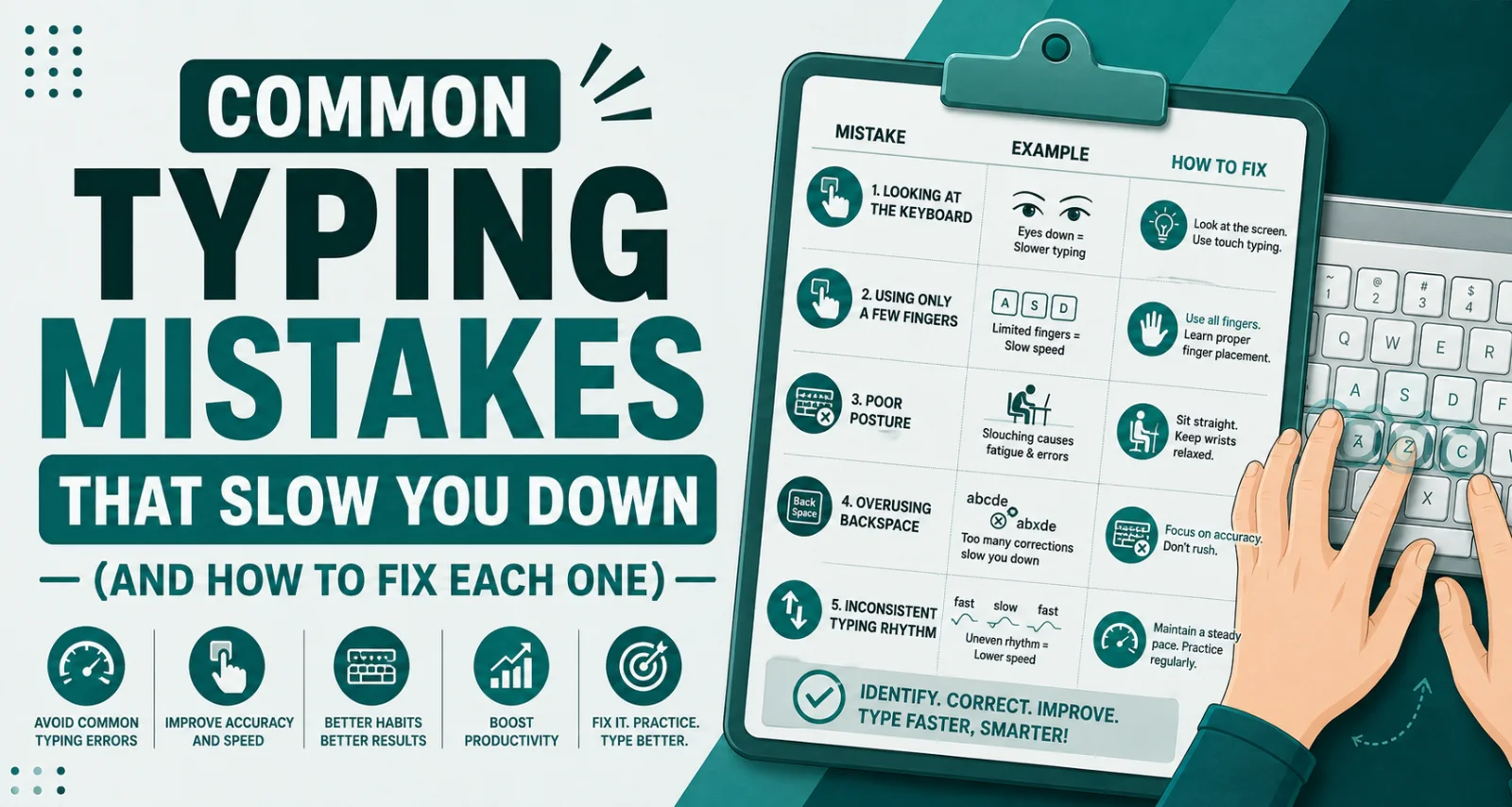
Mistake 1: Looking at the keyboard
This is the single most common speed-limiting habit, and it's also the hardest one to unlearn because it feels helpful in the moment. Every glance down at the keyboard breaks the visual flow between reading your source text (or your own thoughts) and watching what you've typed. Each glance costs a small amount of time on its own, but the real cost is cumulative — over a full paragraph, those repeated interruptions add up to a meaningful chunk of lost time, on top of making errors harder to catch since your eyes aren't on the screen when a mistake happens.
The fix: Deliberately practice with your eyes locked on the screen, even if it feels slower at first. Cover the keyboard with a cloth or your hands during short practice sessions if needed — an uncomfortable but effective way to force the habit to break faster than willpower alone usually manages.
Mistake 2: Typing with only two to four fingers
Hunt-and-peck typing — using two, three, or occasionally four fingers rather than all ten — has a structural ceiling that no amount of practice fully overcomes. With fewer fingers covering the whole keyboard, each one has to travel further and more often, and there's no way to overlap movements the way a properly distributed ten-finger technique allows. Typists using this method commonly plateau somewhere between 30-60 WPM regardless of how long they've been typing, simply because the method itself has a lower ceiling than full touch typing.
The fix: This isn't a quick adjustment — it requires learning proper touch typing from the home row up, which involves a genuine, if temporary, drop in speed while the new habit forms. It's worth treating as a separate, deliberate project rather than something to casually improve while typing normally.
Mistake 3: Inconsistent finger assignment
Some typists use more than two fingers but don't assign specific fingers to specific keys consistently — reaching for the "T" key with whichever finger happens to be closest at the moment, rather than always using the same finger for that key. This might feel more flexible, but it actually slows down the formation of muscle memory, since the brain can't build a fast, automatic pathway for a movement that changes every time.
The fix: Learn (or relearn) the standard finger-to-key map for touch typing, where each finger has a fixed zone of responsibility, and consciously stick to it during practice — even when a different finger would feel momentarily easier. Consistency is what allows the movement to eventually become automatic.
Mistake 4: Chasing speed before accuracy is solid
It's tempting to push for a higher WPM number as early as possible, but typing fast before accuracy is dependable usually backfires. Every uncorrected or corrected error costs several times the time of the keystroke that caused it — a single mistyped word can cost more time to notice, backspace, and retype than it would have taken to type five or six words correctly and slowly.
The fix: During practice, deliberately slow down to a pace where you're making very few errors, and let speed increase gradually as accuracy at that pace becomes automatic. Speed built on top of solid accuracy tends to be more durable than speed chased first and corrected for later.
Mistake 5: Poor posture and hand position
Slouching, hunching toward the screen, or resting wrists awkwardly on the edge of a desk doesn't just cause discomfort — it directly affects typing speed and endurance. Awkward wrist angles make it physically harder for fingers to move efficiently, and poor posture generally leads to faster fatigue, which shows up as a gradual slowdown over a longer typing session even if your first few minutes felt fine.
The fix: Keep wrists roughly level with the keyboard rather than bent up or down, feet flat on the floor, and the screen at a height that doesn't require craning your neck forward. Small ergonomic adjustments compound significantly over a full day of typing.
Mistake 6: Overusing one hand for the spacebar and shift keys
Many self-taught typists default to using the same thumb for the spacebar regardless of which hand just finished typing, and the same single pinky finger for both shift keys instead of using whichever shift key is on the opposite side from the letter being capitalized. This creates unnecessary extra travel distance for that finger and slightly disrupts rhythm on every capital letter or space.
The fix: Practice alternating spacebar thumb usage based on which hand is "free" at that moment, and use the shift key on the opposite side of the keyboard from the letter you're capitalizing — left shift for capitalizing letters typed with the right hand, and vice versa.
Mistake 7: Not warming up before high-stakes or sustained typing
Typing speed and accuracy both tend to be slightly worse in the first few minutes of a session compared to once your hands have settled into rhythm — similar to how physical coordination generally improves after a brief warm-up in other skilled movements. Sitting down cold for a timed test or a long writing session often produces avoidable early mistakes that wouldn't happen a few minutes later.
The fix: Spend five to ten minutes on relaxed, low-pressure typing before anything that matters — a timed test, a demanding writing session — rather than starting the important typing cold.
Mistake 8: Ignoring numbers, symbols, and punctuation in practice
A lot of typing practice defaults to plain prose, which builds strong letter-key habits but leaves the number row, symbols, and punctuation keys comparatively under-practiced. This becomes obvious the moment real-world typing requires dates, prices, email addresses, or code — suddenly the fluent rhythm built on letters breaks down completely.
The fix: Include practice passages that deliberately mix in numbers, symbols, and punctuation rather than relying only on plain-text paragraphs, especially if your actual work involves data, code, or formatted documents.
Mistake 9: Practicing inconsistently instead of briefly and often
Long, infrequent practice sessions — an hour once a week, for instance — build far less durable muscle memory than short sessions spread across most days. Typing speed is a motor skill, and motor skills are built through frequent, spaced repetition rather than occasional bursts of effort, similar to how consistent short practice outperforms cramming for most physical skills.
The fix: Aim for 10-15 minutes of focused practice most days rather than saving it all for one longer weekly session. The frequency matters more than the total time invested.
| Mistake | What it costs you | Fix |
|---|---|---|
| Looking at the keyboard | Broken visual flow, slower error detection | Practice with eyes locked on the screen |
| Two-to-four finger typing | Hard ceiling around 30-60 WPM | Learn full touch typing from the home row |
| Inconsistent finger assignment | Muscle memory never fully forms | Stick to a fixed finger-to-key map |
| Chasing speed over accuracy | Corrections cost more time than they save | Slow down until accuracy is automatic, then build speed |
| Poor posture and hand position | Faster fatigue, reduced efficiency | Level wrists, upright posture, proper screen height |
| Overusing one hand for space/shift | Extra travel distance, disrupted rhythm | Alternate spacebar thumb, use opposite-side shift |
| Skipping warm-up | Early, avoidable errors | 5-10 minutes of relaxed typing before anything high-stakes |
| Ignoring numbers/symbols in practice | Rhythm breaks down on real-world text | Include numbers, symbols, punctuation in practice passages |
| Inconsistent practice frequency | Muscle memory builds slowly or not at all | Short, frequent sessions beat long, occasional ones |
How to know which mistakes actually apply to you
Not everyone makes all nine of these mistakes, and fixing habits that aren't actually your bottleneck wastes effort that could go toward the ones that are. The most reliable way to identify your specific issue is to take a genuine typing speed test and look past the headline WPM number — pay attention to where errors cluster (numbers vs. letters, specific keys, capital letters), whether your speed drops noticeably over a longer passage versus a short one, and whether your accuracy holds steady or degrades as you speed up. Those patterns usually point directly at which of the mistakes above is actually costing you the most.
If the core issue turns out to be technique rather than a smaller habit, our guide on touch typing vs. hunt-and-peck breaks down why switching methods has a much higher ceiling than refining an existing hunt-and-peck habit, and how to type faster: a 30-day practice plan lays out a structured way to build speed systematically rather than practicing at random. Read more there once you've identified which specific habit is actually holding your number back.
Conclusion
Slow typing is rarely about a lack of natural ability — it's almost always a small set of identifiable, fixable habits: looking at the keyboard, using too few fingers, inconsistent finger assignment, chasing speed before accuracy, poor posture, uneven hand usage, skipping warm-up, under-practicing numbers and symbols, and inconsistent practice frequency. None of these require starting from zero to fix, though a couple — particularly moving away from hunt-and-peck — do require a genuine, deliberate retraining period. Identify which of these actually apply to your typing, fix them one at a time rather than all at once, and track your progress with a real test rather than guessing based on how typing feels.
Was this guide useful?
Your vote is anonymous and helps us decide what to write next.
Frequently asked questions
What's the most common mistake that slows down typing speed?
Looking at the keyboard instead of the screen is generally the biggest single factor, since it interrupts the flow between reading and typing and makes errors harder to catch in real time.
Can typing mistakes be fixed without relearning from scratch?
Most of them, yes — habits like posture, hand usage, and practice frequency can be adjusted directly. Switching away from hunt-and-peck typing to full touch typing is the one exception that requires a more deliberate retraining process.
Why does typing fast with errors slow you down overall?
Every uncorrected or corrected error costs several times the time of the keystroke that caused it, since it requires noticing the mistake, backspacing, and retyping. A slower, more accurate pace often produces cleaner text faster overall than a rushed, error-heavy one.
Does posture actually affect typing speed?
Yes. Poor wrist angles and slouched posture make finger movement less efficient and contribute to fatigue over a longer session, which shows up as a gradual slowdown even if the first few minutes felt normal.
How often should I practice typing to improve?
Short, frequent sessions — around 10-15 minutes most days — build muscle memory more effectively than occasional longer sessions, since typing speed is a motor skill built through consistent repetition.
Why do I type well on normal text but poorly on numbers and symbols?
Most casual typing practice defaults to plain prose, which builds strong habits for letters but leaves numbers, symbols, and punctuation comparatively under-practiced. Including that content in practice passages specifically addresses the gap.